 Local Panel by Nesdzo
Server Diff Screen
This server diff screen allows you to compare the two servers you are connected to in terms of system information, running services, open ports, installed packages and disk partitions. Here, you can investigate the root causes of why your code, application, service, etc., which is running on one server but not on the other, is not working on one server or why it is working on the other.
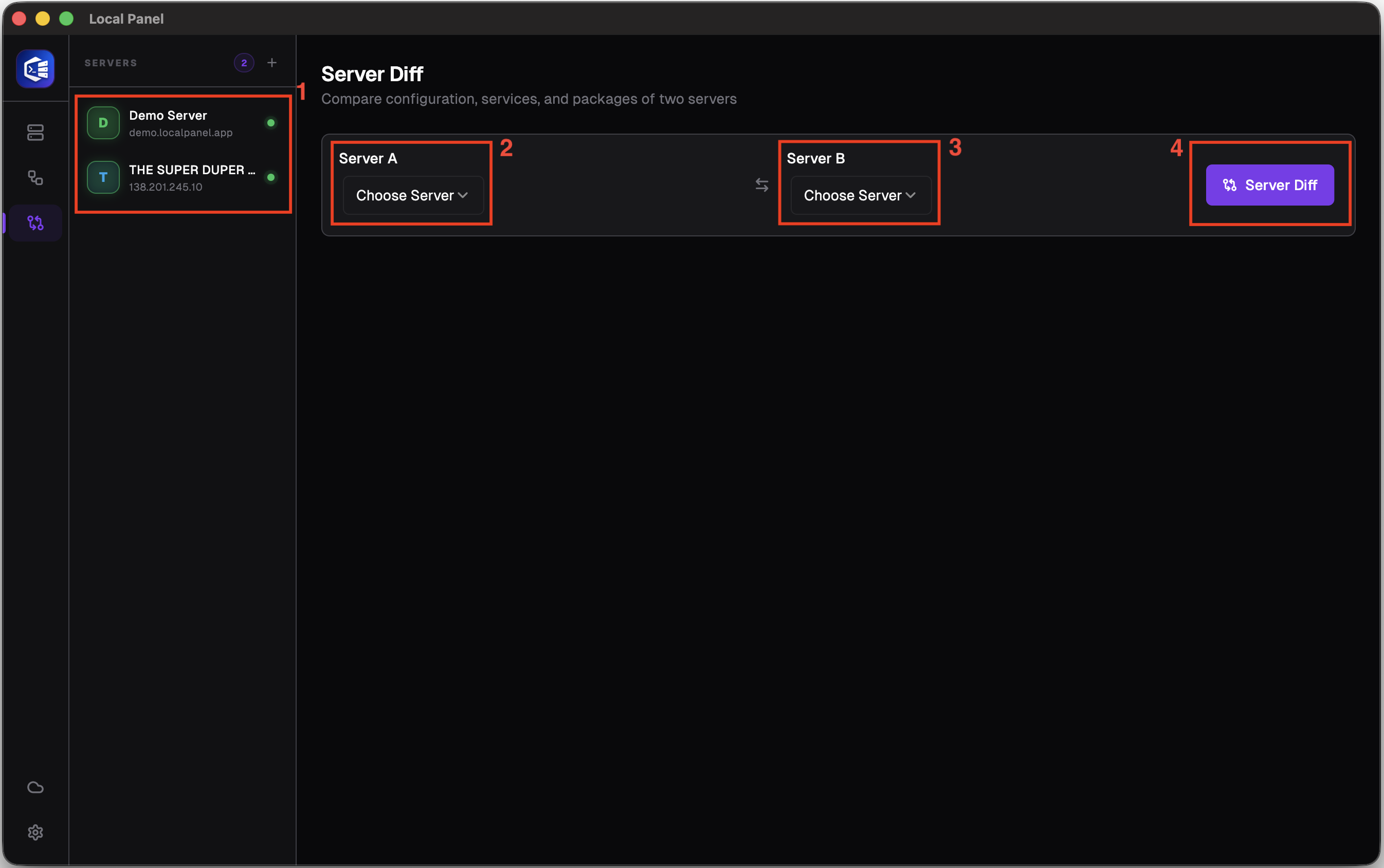
Number 1: Make sure you are connected to at least two different servers; if you only have one server and wish to test the feature, you can use the demo server.
Number 2: The section where you will select your first server for comparison.
Number 3: You must select the other server you wish to compare with this one.
Number 4: By clicking the button, you can initiate the process of collecting all the data from both servers and presenting it in a comparative table. The time taken for this process may vary depending on factors such as the number of packets on your server.
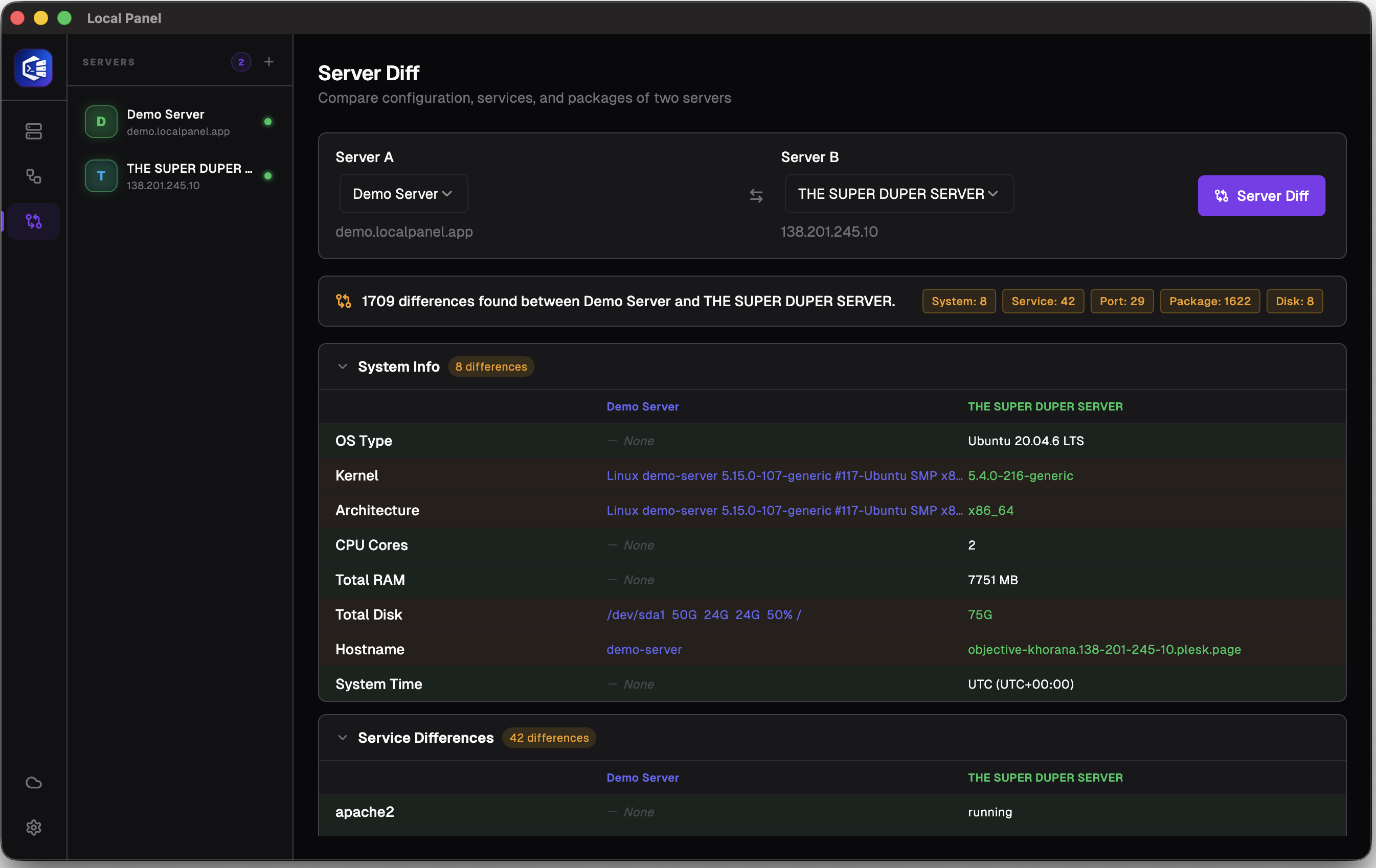
Once the process is complete, you should see a screen similar to this one.
Still stuck? Email contact@nesdzo.co.uk — we're happy to help.